
01
You connected with hundreds of people. None are in your CRM.
Every accepted request is a warm contact, and they all live behind LinkedIn’s UI where your CRM cannot see them. The relationship exists; the record does not.
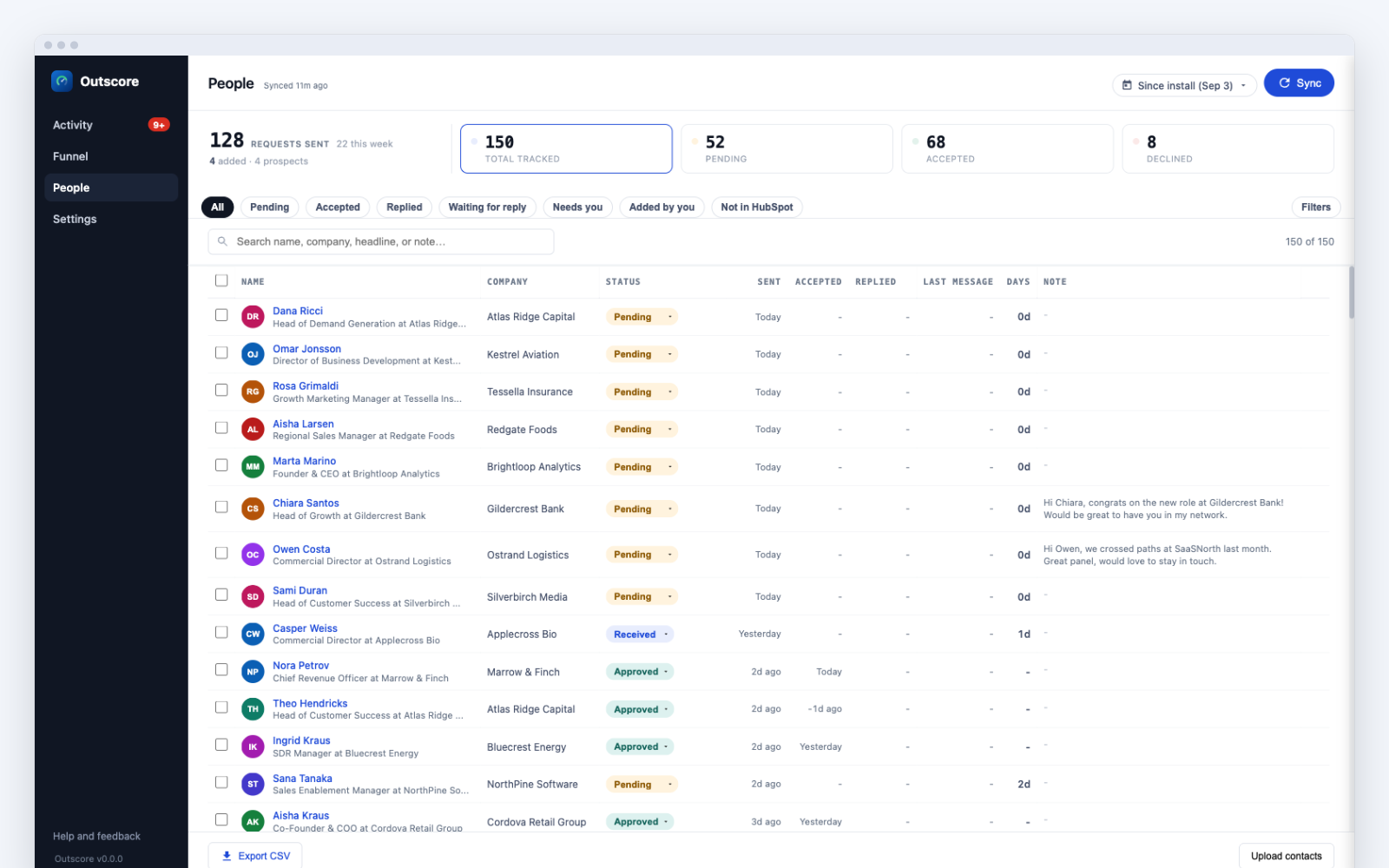
See each person’s HubSpot record on their LinkedIn profile. Add them and their company to HubSpot in one click, then log your conversation. Only the people you choose, deduped, with no copy-paste.
Free to start: everything for 14 days, then your stats stay free. Adding to HubSpot is part of Pro: $10 a month, billed yearly, or $15 month to month.
Works with HubSpot free · No per-seat fee · Salesforce and Pipedrive via CSV
Every accepted request is a warm contact, and they all live behind LinkedIn’s UI where your CRM cannot see them. The relationship exists; the record does not.
Name, company, title, profile URL, one contact at a time, tabbing back and forth between LinkedIn and your CRM. It is slow, it is error-prone, and it is the first thing you skip when you get busy.
No record of when you connected, no LinkedIn URL on the contact, no note on how the relationship started. So the next person who opens that record has no idea what already happened.
Managers cannot see the LinkedIn pipeline because it never reaches the CRM, and the fix they try (making reps log it by hand) burns selling time, so it gets skipped. With Outscore each rep pushes the connections they choose, with themselves as owner, and the manager reads the per-rep pipeline in the CRM. Nobody logs anything by hand, and nobody reads anyone’s inbox.
“The LinkedIn-to-HubSpot integration is fast and seamless, connections import automatically with full contact info, no manual data entry required. What used to take hours of copying and pasting into our CRM now happens instantly and accurately.”
Your CRM shows up on LinkedIn, and you choose exactly who and what goes into it.
Every LinkedIn profile, Sales Navigator lead and company page shows whether they are in your HubSpot, who owns them and their stage. No more searching the CRM in another tab.
One press creates the contact and their company, matched on the LinkedIn URL and filling only empty fields. Or pick many from the people you track and add them together.
Open the thread and press Log to HubSpot. Messages land on the contact with their real dates. Add a follow-up task from the same card.
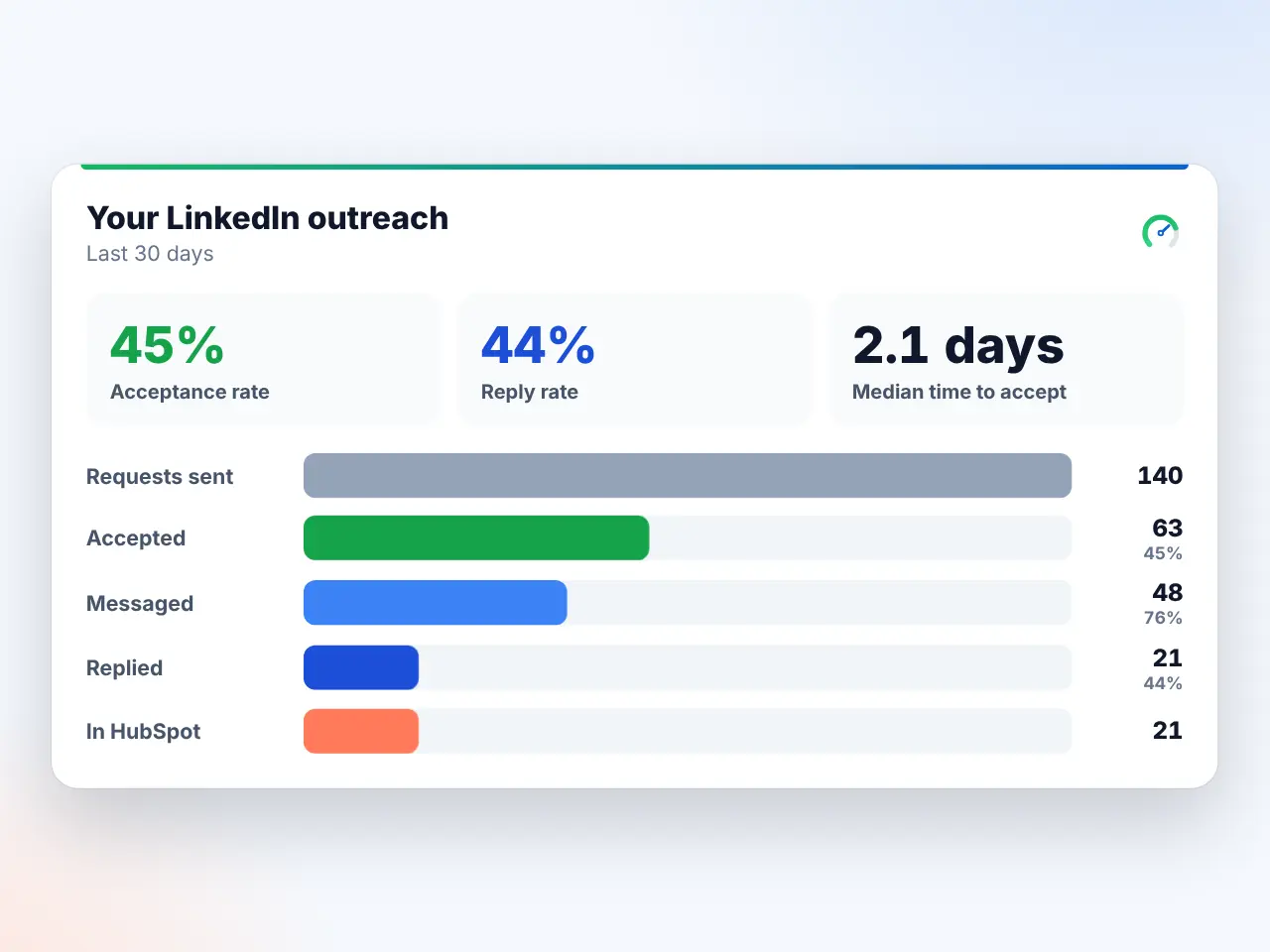
Not just a name. Each person becomes a complete CRM contact, with the LinkedIn context your record has always been missing. You choose the fields once.
| From your LinkedIn connection | Into your CRM contact |
|---|---|
| Name | First name and last name |
| Job title and headline | Job title, plus the headline if you want it |
| Company | Company field, plus the company record, found or created and linked |
| Location | City and country |
| Profile URL | LinkedIn URL, the key that stops duplicates |
| Email and phone | Only when your connection shared one; never looked up or bought |
| How you connected | A timeline note: who sent the invitation, when it was sent and accepted, and the note |
| The conversation | The threads you choose, as LinkedIn-message activities or as notes, each message dated when it was sent |
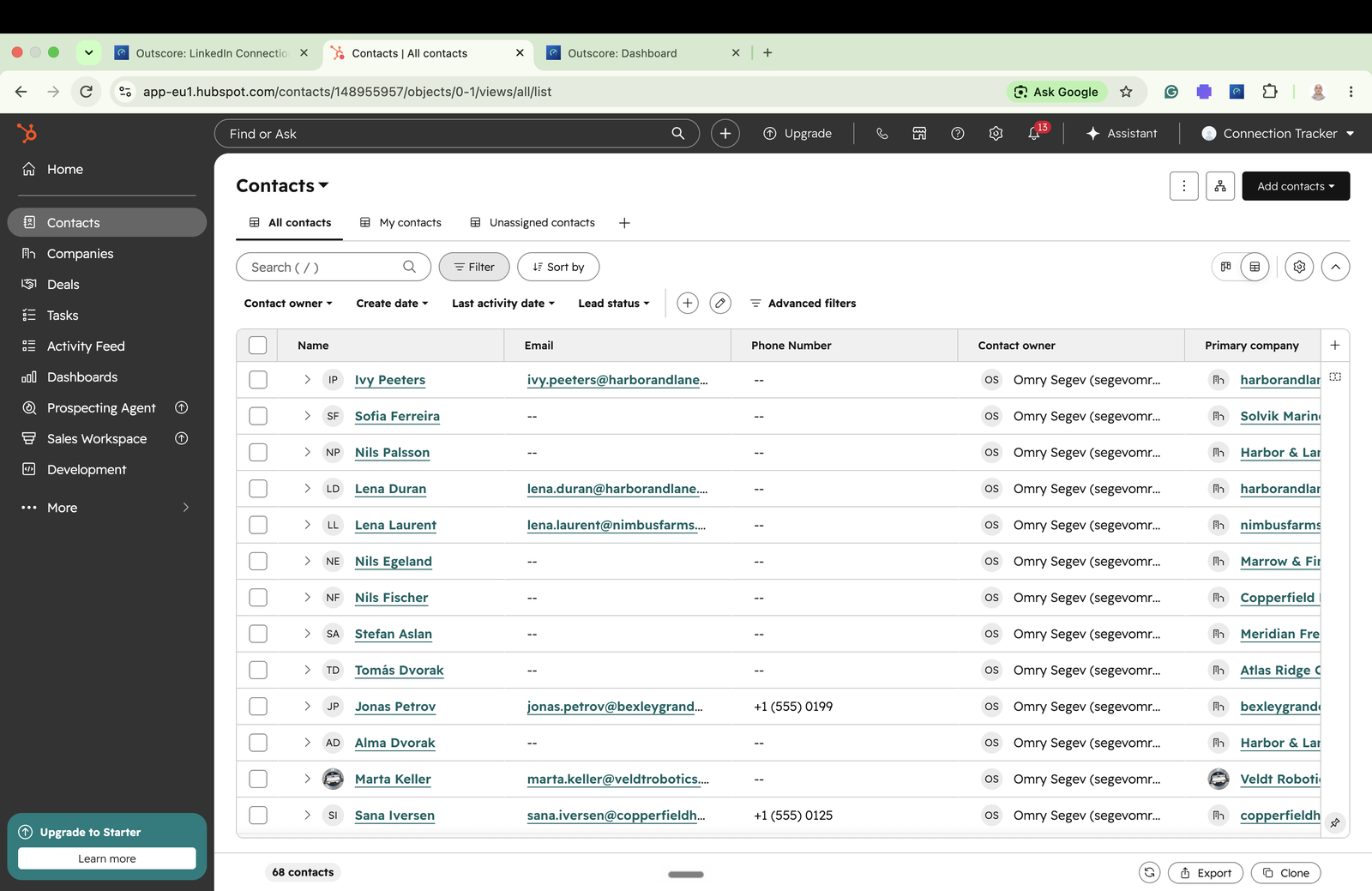
HubSpot has the one-click native sync today, and CSV export covers everything else.
See HubSpot on every LinkedIn profile, add people and companies in one click, log conversations and follow-up tasks. Works with HubSpot’s free CRM. See the HubSpot guide.
Outscore’s CSV export drops straight into the Salesforce Data Import Wizard. See the Salesforce guide.
A clean CSV with name, company, status, date sent, and days pending imports into Pipedrive, Attio, Notion, Google Sheets, or any tool that takes a spreadsheet. See the export guide.
The options for getting LinkedIn connections into a CRM, compared honestly.
| Manual copy-paste | Sync extensions(Hublead, Surfe, LinkMatch) | Outscore | |
|---|---|---|---|
| Effort per contact | High, one at a time | One click per profile | One click per profile, or many at once |
| Tells you what actually worked | No | Mostly no. Hublead Business ($64 a seat) shows rates for contacts in your CRM | Yes: acceptance rate, reply rate, pending aging |
| Your actual connections | Yes, if you find them | Any profile you open | Any profile you open, plus everyone you track |
| Deduped on LinkedIn URL | No | Varies, duplicates are the top complaint | Yes, and fill-only so nothing is overwritten |
| Works on HubSpot’s free tier | Yes | Usually, but the tool itself is paid | Yes |
| Email and phone credits to buy | None | Most plans bundle them | None |
| Where your data goes | You paste it | Often through their cloud | Browser to your CRM |
| Pricing model | Free (your time) | Roughly $16 to $112 per seat, per month | Free to start · $10/mo billed yearly |
It’s your personal LinkedIn account, so every decision about your data is yours. Your tracked connections live in your own browser, and Outscore never reports on you to anyone: not your employer, not your manager, nobody. When you sync to a CRM, you choose exactly which people and which fields go, and your contacts travel from your browser to your CRM, not through us. On a team, that’s the whole model: you push what you choose into the company CRM, and the CRM is all anyone else sees.
Track your connections for free, forever. One-click CRM sync is part of Pro. Pro is $10 a month, billed yearly, or $15 month to month. Your choice at checkout.
Install free, upgrade to Pro any time from the extension.
Everything about getting LinkedIn connections into your CRM.
Yes. Open anyone's LinkedIn profile, connected or not, and press Add to HubSpot: the contact is created with name, job title, company (with the company record linked), city, country and LinkedIn URL, owned by you. People you already track can go in a few at a time or all at once from the dashboard.
Every contact also gets a timeline note with the connection history: who sent the invitation, when it was sent and accepted, and the note if there was one. It matches on the LinkedIn URL, so adding the same person again never creates a second contact.
Today you can get your LinkedIn connections into Salesforce with Outscore's CSV export and the Salesforce Data Import Wizard, which we walk through in the LinkedIn and Salesforce guide.
No. Outscore writes each person's LinkedIn profile URL to a unique property and matches on it, so pushing the same connection again updates the existing contact rather than making a second one.
No. You connect HubSpot with a key you create in your own HubSpot account, and the key stays on your computer. Outscore calls HubSpot from your browser, so the names, companies and conversations you add go from your browser to your HubSpot, not through our servers.
By default: name, LinkedIn URL, job title, company, city, country, the LinkedIn headline, and email or phone when your connection shared one (never looked up or bought), with you as owner. Lifecycle stage, lead status and your own note are there to switch on. The connection history goes in a timeline note. You pick the fields once in Settings.
Conversations are a second step: open the thread on LinkedIn and press Log to HubSpot. Each message lands on the contact as a LinkedIn-message activity dated when it was sent, or as a note, your choice.
No. Outscore reads pages you already visit during normal LinkedIn use, and it never sends, messages, or scrapes in bulk. The only thing it does on LinkedIn by itself is withdraw an invitation you choose, when you press Withdraw. It is your own personal LinkedIn account, and you decide what leaves it. The account risk is about the same as using LinkedIn yourself.
Tracking your connections is free, forever. Your funnel and analytics are free too. One-click CRM sync, the full contact list, and CSV export are part of Outscore Pro. Pro is $10 a month, billed yearly, or $15 month to month. Your choice at checkout. Bought lifetime? You keep it for life.
CSV export covers any tool that accepts a spreadsheet, including Pipedrive, Attio, Notion, and Google Sheets. HubSpot has the one-click native sync today.
Install Outscore and connect HubSpot with a key you create in your own account (about two minutes, on any plan including the free CRM). From then on every LinkedIn profile shows whether the person is in your HubSpot, and one press adds them. For any other CRM, export a CSV. There is no copy-paste and no scraping, and you choose exactly which people and fields go. HubSpot's own LinkedIn connections (ads, posting, Sales Navigator) are covered in the LinkedIn HubSpot integration guide.
Export your tracked connections from Outscore as a CSV and load them with the Salesforce Data Import Wizard as Contacts or Leads. The step-by-step CSV method is in the LinkedIn and Salesforce guide.
Yes, with HubSpot. Every LinkedIn profile and company page shows whether the person or company is already in your HubSpot, who owns them, their stage, what happened last and what you planned next. It works on Sales Navigator lead pages too.
Not in the background, and only the conversations you choose. Open a thread and press Log to HubSpot; press Update later and only the new messages go. That keeps private conversations out of the company CRM unless you put them there.
For HubSpot, a browser extension that adds people from their profile is the fastest, as long as it matches on the LinkedIn URL so you do not get duplicates and keeps the LinkedIn context (profile URL, how you connected, the conversation). For other CRMs, a clean CSV export is the reliable route. Manual copy-paste works but does not scale, and automation tools that scrape profiles carry account risk.
Practical, sourced walkthroughs for connecting LinkedIn to your CRM and getting more of your outreach accepted.
What HubSpot connects natively (ads, posting, Sales Navigator) and the ways to add your own contacts and conversations.
The native Sales Navigator route and its requirements, the free CSV import method, and Zapier.
Surfe, LeadCRM, LinkMatch, Outscore and the free route, compared on price per seat, credits and message logging.
The two best-known LinkedIn to CRM extensions side by side: price, credits, CRMs and conversation logging.
Surfe, Evaboot, Wiza, and the connection-tracker option, compared by what each is for and what it costs.
Where LinkedIn hides the export, what the file contains, and the difference between connections and contacts.
An honest comparison of automation suites, tracking-only extensions, and the free manual methods.
Seven vendor studies put it between 26% and 51%. What the data says, and how to measure your own.
Where LinkedIn hides your sent invitations, how to withdraw stale ones, and how to keep the history it deletes.
Install Outscore from the Chrome Web Store, free, no credit card. Upgrade to Pro ($10 a month, billed yearly, or $15 month to month) whenever you want to add people to HubSpot, log conversations, export a CSV, or schedule updates.